Guided photo checklists
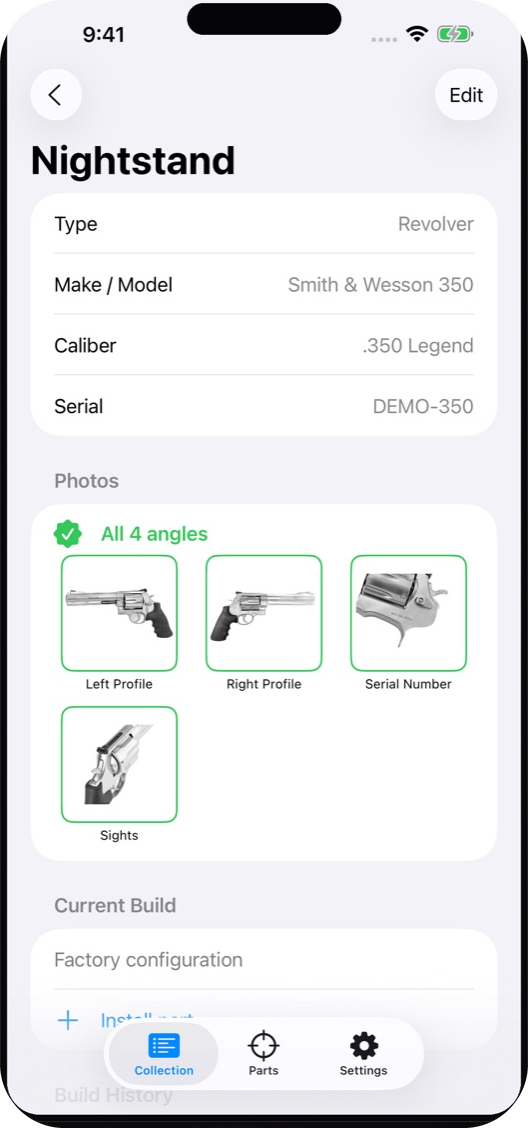
Gunmark walks the right angles for each firearm type and shows a completeness badge, so a record is complete and not one blurry shot from move-in day.
Not just inventoried. Guided photos, per-gun build history, and paperwork on the right item. Stored on your device, with optional iCloud sync through your own Apple ID.
No account. No Gunmark servers. Requires iOS 18 or later.
Documentation the category skips
Say your agent asks for serial numbers and photos, or you are sorting out an estate. Gunmark is built for the parts that usually fall apart: complete photos, what is on each gun over time, and paperwork that stays with the firearm.
Make, model, caliber, serial number, nickname, and what you paid.
Left profile, right profile, serial number and more, depending on the type. A badge shows how many angles you have.
Install parts on the gun they are on. Attach receipts and tax stamps to the item or the part.
What's inside
Gunmark walks the right angles for each firearm type and shows a completeness badge, so a record is complete and not one blurry shot from move-in day.
Optics, triggers and barrels are parts on a specific firearm. Move a trigger to another gun and the dated history follows.
Attach receipts, NFA forms and tax stamps to the item they belong to. They are where you would look for them.
Track cleanings, round counts and service per firearm. See what was done last.
A PDF or CSV report of your collection for insurance, an estate plan, or your own records.
Type-ahead for makes, calibers and models. Or bring a collection in from a spreadsheet with CSV import.
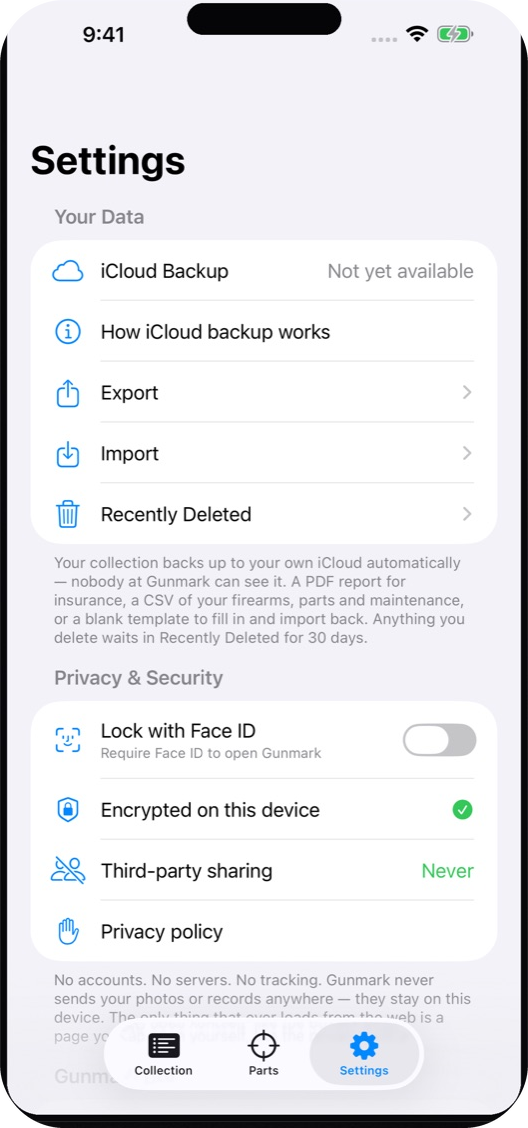
Parts, photos and maintenance sit in a 30-day hold you can restore from. A bad tap is not forever.
Lock the app behind Face ID or Touch ID, so a borrowed phone stays a borrowed phone.
The app
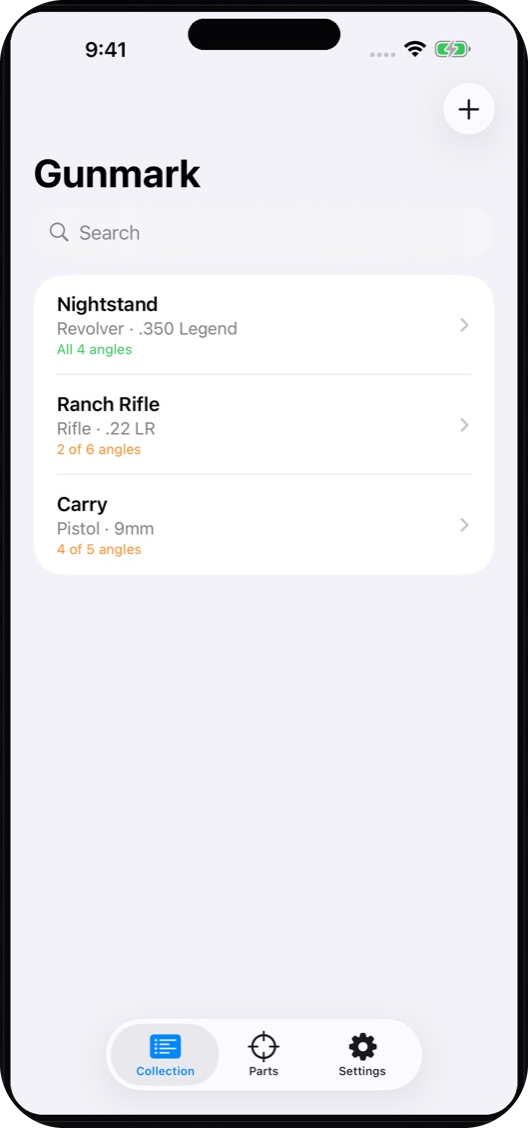
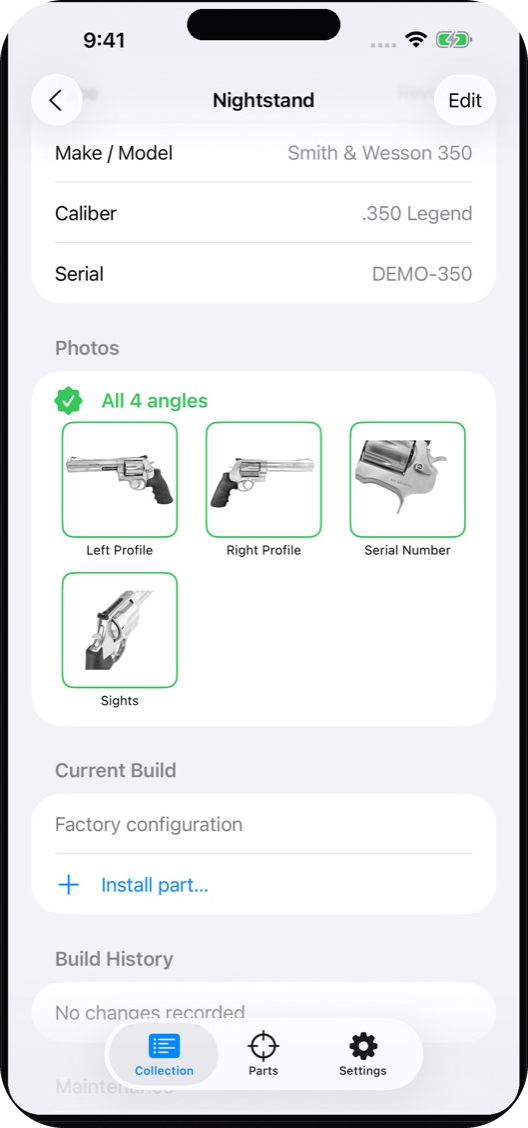
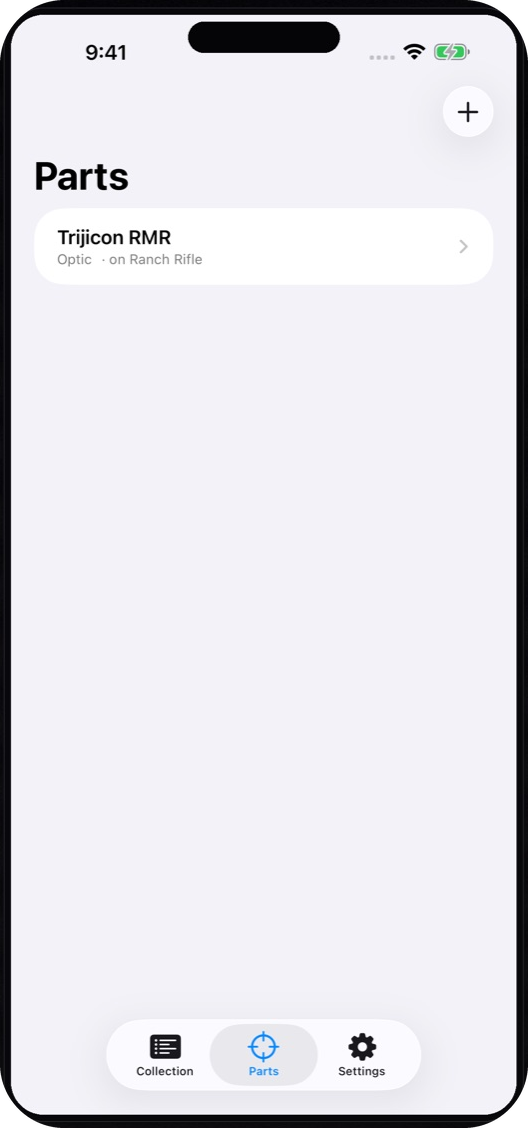
Firearms shown are sample entries, not real records.
Pricing
Every feature works from the start. The only limit is how many firearms you can add. Past three, Gunmark Pro removes the limit with a single purchase. It is not a subscription. Viewing, editing and exporting never get locked.
On your device
Your collection lives on your phone. Optional iCloud sync is off by default. If you turn it on, it uses your own iCloud through Apple's CloudKit, and Big Beard Apps can't read it. Read the privacy policy.
Need a hand?
How-tos and fixes are in the help guide. For anything else, email support@bigbeardapps.com. It goes to Big Beard Apps, the small veteran-owned studio behind the app.