Photograph a firearm with the checklist
Updated
A good record starts with good photos. Gunmark asks for the right angles for each type of firearm, because a pistol needs different shots than a suppressor.
Work through the checklist
- Open a firearm from the Collection tab.
- Find the Photos section. It lists the angles for that type, such as Left Profile, Right Profile and Serial Number.
- Tap an empty angle to add a photo. Use the camera or choose one from your library.
- Repeat until the badge reads “All angles”.
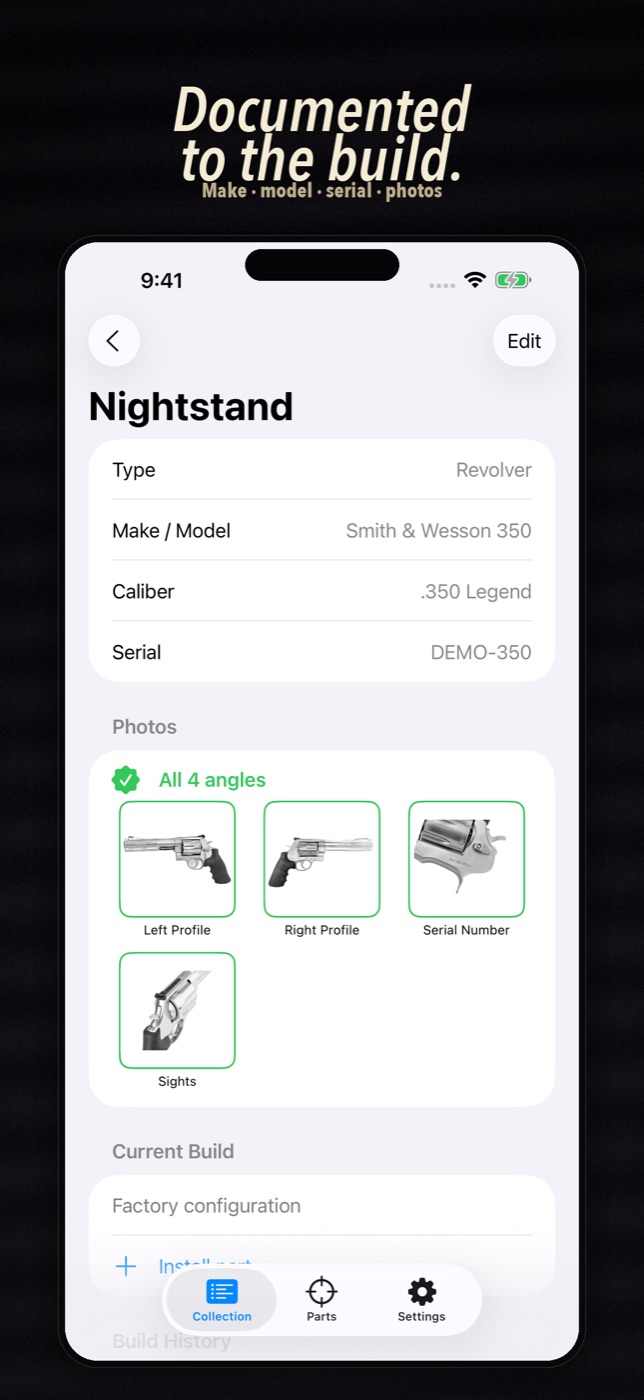
You can also add freeform photos that don’t match a listed angle.
Why bother
Say you need to show what you own and what condition it is in. One photo taken years ago won’t do it. A full set of angles, each tied to the firearm, will.
Photos are stored on your device. Gunmark uses Apple’s photo picker, so it doesn’t need access to your whole photo library.
Still stuck?
Email support@bigbeardapps.com and a real person at Big Beard Apps, the studio behind Gunmark, will answer.
Email support